AI eBook Cover Generator for Kindle & KDP
Use this free eBook cover generator to turn a title, genre, and short prompt into a Kindle-ready cover for KDP books, PDF guides, lead magnets, and digital products. Generate concepts, check thumbnail readability, and download a cover sized for modern storefronts.
eBook Cover Generator Tool
Create a polished eBook cover with AI, then adjust the title, author name, genre, and style before you publish to Kindle, KDP, or your own digital product funnel.
Book Information
Choose Genre Optional
Description Optional
Advanced Settings
Your Cover Preview
Fill in the details and click "Generate My Cover"
Creating Your Cover...
This usually takes 30-60 seconds
Create a Kindle-Ready eBook Cover Without Starting from a Blank Canvas
The best eBook cover maker does more than generate artwork. It helps you brief the AI clearly, keep the title readable at thumbnail size, and export a cover that fits real publishing workflows.
Start with publishing intent
Choose whether the cover is for a Kindle novel, a non-fiction guide, a PDF lead magnet, or a digital workbook so the result matches the right reader expectation.
Give the AI usable context
Include genre, mood, audience, main visual symbol, title, subtitle, and author name. This produces stronger concepts than a one-word prompt.
Check thumbnail clarity
Review the cover at small size before downloading. If the title or focal point disappears, simplify the composition and regenerate.
Export for your channel
Use a digital-first ratio and high-resolution output for Kindle, email campaigns, sales pages, and author websites.
Example prompt and output
A concrete brief gives the generator enough direction while leaving room for visual exploration.
Title: The Quiet Launch. Non-fiction guide for first-time founders. Minimal modern cover, confident typography, soft green accent, clean desk silhouette.
A clean business eBook cover with readable title hierarchy, restrained color, and a simple focal point that still works in Kindle and PDF thumbnails.
Edge cases to check
- Very long subtitles may need a shorter cover version.
- Dark artwork needs enough contrast behind title text.
- Series covers should reuse layout, type scale, and author placement.
- Print covers need spine and back-cover files, not only a front eBook cover.
Related cover tools
Why an eBook Cover Generator Works So Well for Self-Publishing
A focused tool for eBook covers solves a very specific problem: authors need a cover that looks strong at thumbnail size, matches genre expectations, and fits digital publishing requirements without slowing down launch.
General design tools can make attractive graphics, but a free eBook cover generator should also support publishing decisions: Kindle-friendly sizing, readable title placement, genre cues, and a simple download flow. That matters for KDP, PDF guides, author websites, email opt-ins, and every place where a reader first sees a tiny cover thumbnail.
This page is designed around that high-intent workflow. Instead of pushing you into a blank canvas, the tool helps you move from concept to usable cover with fewer decisions. You can start with a prompt, shape the mood by genre, refine the style, and download a cover that is ready for an eBook launch. If you are testing a new series, publishing a lead magnet, or packaging a short guide, speed matters, but relevance matters more. A strong cover workflow gives you both.
What users usually want from this workflow
- A clean Kindle-ready size without guessing dimensions
- A fast way to turn a rough idea into cover concepts
- Readable title and author text that still works as a thumbnail
- Genre-aware visuals for romance, thriller, fantasy, and non-fiction
- An export flow that feels simple enough for first-time authors
Who this page is for
- Indie authors launching a Kindle book and needing a polished front cover quickly
- Publishers testing multiple eBook cover directions before committing to a final campaign
- Creators building workbooks, lead magnets, PDF guides, and short digital books
- Writers who want better creative control before handing a brief to a human designer
Optimized for digital shelves
A useful cover tool helps you create covers that remain legible on store pages, mobile screens, and thumbnail previews where first impressions happen fast.
Faster concept testing
You can explore multiple directions for the same title, compare moods, and refine your positioning without restarting the design process every time.
Ready for publishing workflows
From prompt to export, the page stays centered on what authors need next: a cover that is easy to review, revise, and upload.
eBook Cover Generator Examples by Genre
These sample concepts show how the tool can adapt to different audiences while keeping title hierarchy, mood, and digital readability in focus.

Summer in Tuscany
by Emma Rodriguez
A romance cover tool should lean into emotional tone, soft contrast, and readable typography that still looks inviting at thumbnail size.

The Last Witness
by Michael Stone
For thrillers, the generator needs strong contrast, immediate tension, and a title treatment that feels sharp on Kindle store listings.
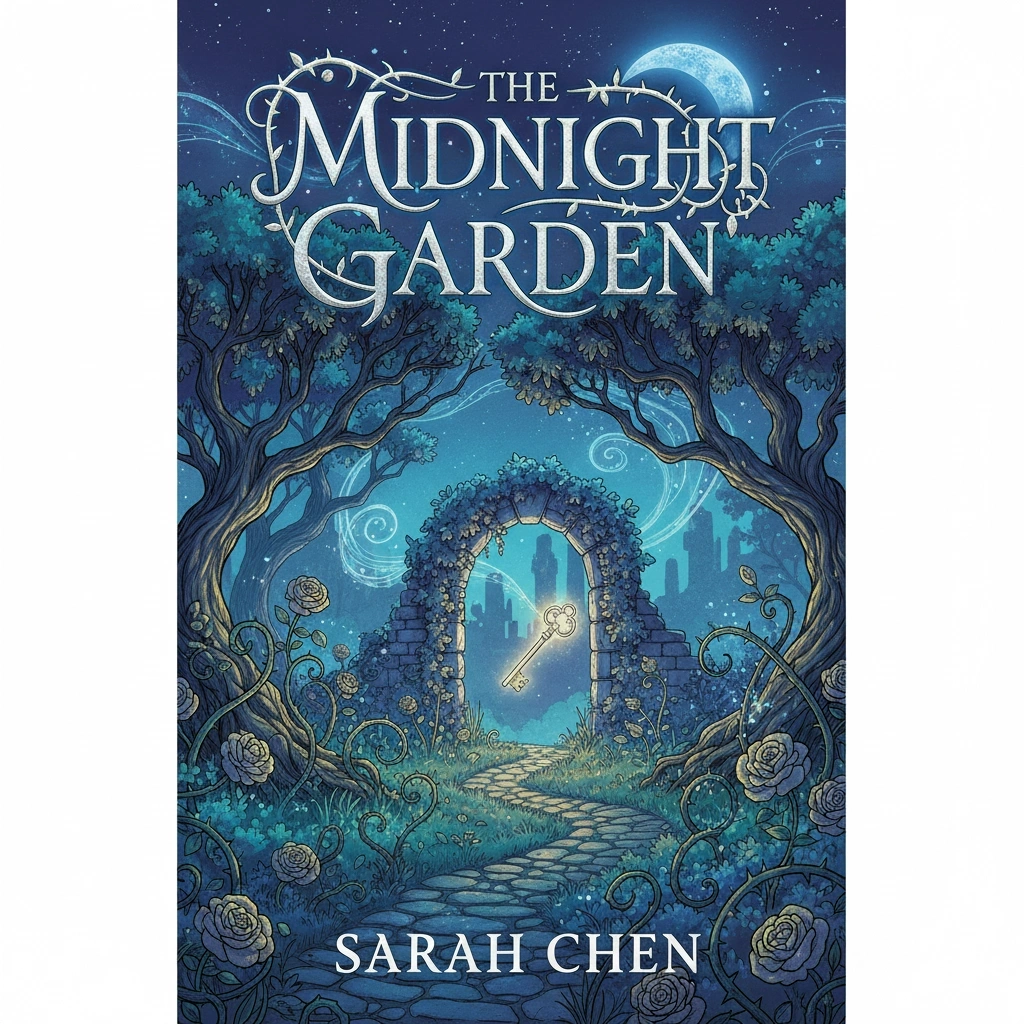
The Midnight Garden
by Sarah Chen
Fantasy covers benefit from atmosphere and worldbuilding cues, but the workflow still has to keep the composition clean enough for digital browsing.

Echoes of Tomorrow
by David Park
A sci-fi cover maker should balance cinematic visuals with uncluttered title placement so readers understand the premise in a glance.
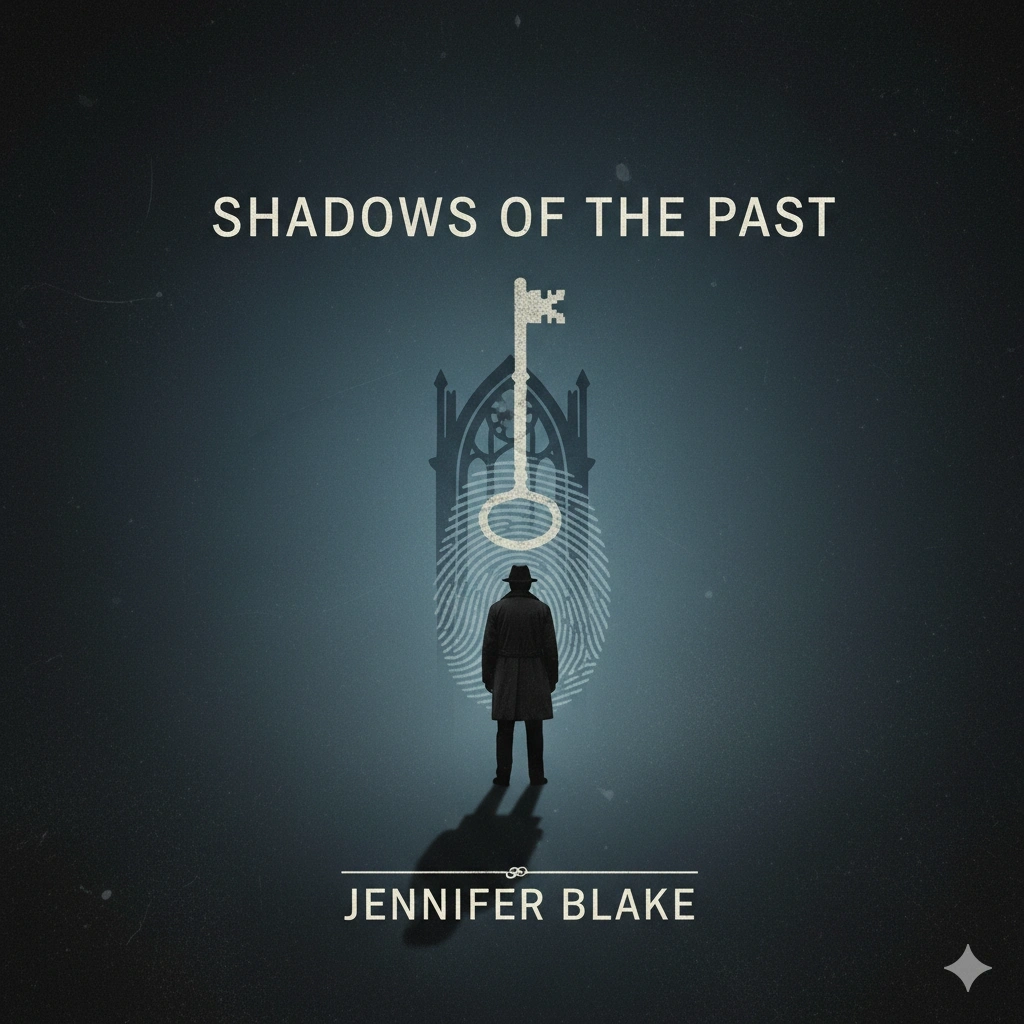
Shadows of the Past
by Jennifer Blake
Mystery concepts work best when the layout leaves room for intrigue, negative space, and a simple focal point that suggests unanswered questions.

Build Better Habits
by Olivia Reed
A non-fiction cover workflow should support clarity first, with confident typography, clean layout, and a value proposition that is obvious from the cover.
How to Use the eBook Cover Generator in 4 Steps
Enter your book details
Start with the title, author name, and a short description of your book's mood, subject, or promise so the generator has clear direction.
Choose genre and style
Pick a genre and visual approach to help the generator align the artwork with what readers expect in your category.
Generate and compare options
Review different cover directions, keep the strongest ideas, and refine the prompt until the title treatment and mood feel right.
Download your eBook-ready cover
Export the result once you have a cover that looks strong in full size and thumbnail view, then move into your Kindle or digital publishing workflow.
What Makes This eBook Cover Generator Useful
Create covers that match digital publishing behavior
A digital-first cover tool should be built around how readers actually shop. Most buyers first see a cover in a tiny listing, not in a full-size mockup. That is why this workflow focuses on title clarity, contrast, and composition that still reads at small sizes. Whether you are creating a Kindle title, a downloadable guide, or a short digital workbook, the generator helps you start from a layout mindset that fits digital storefront behavior.
Generate an eBook Cover
Move from idea to strong first draft faster
A focused cover workflow reduces the time between inspiration and review. Instead of juggling multiple design tools, you can turn a title, genre, and short creative direction into a professional first draft quickly. That makes it easier to test concepts before launch, compare options with collaborators, or create multiple versions for series branding without losing momentum.
Generate an eBook Cover
Support genre conventions without looking generic
Readers use visual cues to decide whether a book feels right for them. A romance cover should feel different from a thriller or a business guide. This workflow helps you stay inside those genre expectations while still giving each concept a distinct mood. You can guide the result with style choices, prompt details, and visual references that make the final cover more market-aware.
Generate an eBook Cover
Keep title and author hierarchy easy to scan
A beautiful image alone is not enough. An effective cover tool has to support clear hierarchy between the title, subtitle, and author name. That matters for search results, marketplace pages, and preview thumbnails where weak text placement can kill clicks. This page is structured to help you create a cover that feels visually strong but still communicates instantly.
Generate an eBook Cover
Export a cover that fits real publishing workflows
The best cover workflow is not just fast at image creation. It also understands the handoff step. Once you approve a cover, you need dimensions, file types, and quality settings that make sense for Kindle Direct Publishing and other digital platforms. That is why this page combines cover generation with practical spec guidance, so you can create and publish with fewer last-minute fixes.
Generate an eBook CoverWhat an eBook Cover Generator Should Help You Get Right
Users searching for this kind of tool usually want more than art. They want confidence that the cover will fit real publishing requirements and still perform well as a storefront thumbnail.
Size, ratio, and file basics
Amazon KDP remains the most important reference point for many self-published authors, so the page should make those expectations easy to understand.
- Recommended KDP eBook cover size: 1600 x 2560 pixels
- Minimum practical upload size: 625 x 1000 pixels
- Common front-cover ratio: 1.6 to 1 height to width
- JPG or TIFF are common upload formats; PNG is useful for review copies
- Use RGB color for digital storefronts and screen previews
Why these details matter on store pages
Technical specs help prevent upload issues, but they also affect how professional the cover feels when it appears in live marketplace environments.
- Clear proportions reduce awkward cropping and scaling
- Better resolution helps details stay crisp on larger previews
- Simple focal points improve recognition on category grids
- Consistent title hierarchy supports clicks and series branding
Practical tips before you publish
- Check the cover as a thumbnail before you approve it. If the title disappears, simplify the visual hierarchy.
- Use genre terms in your prompt so the generator starts closer to the expectations of your audience.
- Keep one dominant focal point instead of many small objects competing for attention.
- If the subtitle matters for conversion, make sure it is still readable on tablet and mobile previews.
- Generate more than one direction when you are deciding between branding approaches or launch angles.
Simple rule of thumb
A high-performing cover tool should help you create a cover that is clear, clickable, and easy to upload. Strong visuals matter, but fit-for-platform execution is what turns a nice design into a usable publishing asset.
Technical Details for an eBook Cover Generator
Recommended output details
- Ideal eBook cover size: 1600 x 2560 pixels
- Minimum KDP upload size: 625 x 1000 pixels
- JPG or TIFF for common Kindle workflows
- RGB color profile for digital storefronts
- High-resolution export for crisp previews and ads
Publishing and reuse scenarios
- Amazon Kindle Direct Publishing
- Apple Books and other digital stores
- Lead magnets and PDF download pages
- Author websites, launch pages, and email promos
- Future adaptation for paperback or hardcover campaigns
eBook Cover Generator FAQ
Create Your Next Cover with the eBook Cover Generator
Start with a title, a genre, and a short idea. Generate an eBook-ready cover, compare directions, and move into publishing with more confidence.